A journal built into the recovery flow
Open the journal from the home screen, add an entry, and return later without moving sensitive notes through a generic social feed.
Private reflection and day-based progress
A streak tells you how long. A journal helps explain what was happening around the hard days, and the analytics screen brings progress into one view. Together they help you adjust the plan using your own experience instead of relying on memory.
For iPhone. Free to download; a subscription is required to use the app.
Why it helps
The final click is only one part of the sequence. Stress after work, poor sleep, an argument, boredom, alcohol, or a particular kind of scrolling may appear much earlier. A short note made close to the moment can preserve details that are easy to rewrite later.
Reborn keeps journaling close to the main screen and pairs it with a progress view. The purpose is not to produce a perfect diary. It is to collect enough honest context to make one practical change: protect a time of day, move a device, plan a conversation, or choose a different response to stress.
How it works
Create a titled entry and note what happened, what you felt, where you were, and what you did next. A few concrete lines are enough.
Choose how you are feeling, then use the title and entry itself to preserve the situation without forcing every experience into a long narrative.
Look at the journal alongside recovery analytics and check-in history. Choose one repeated condition to address during the next week.
Inside Reborn
Each part has a clear job. The aim is not to keep you inside an app; it is to help you make the next real-world decision with more intention.
Open the journal from the home screen, add an entry, and return later without moving sensitive notes through a generic social feed.
Mood, tags, and written detail can reveal whether the same time, feeling, or environment keeps appearing around difficult moments.
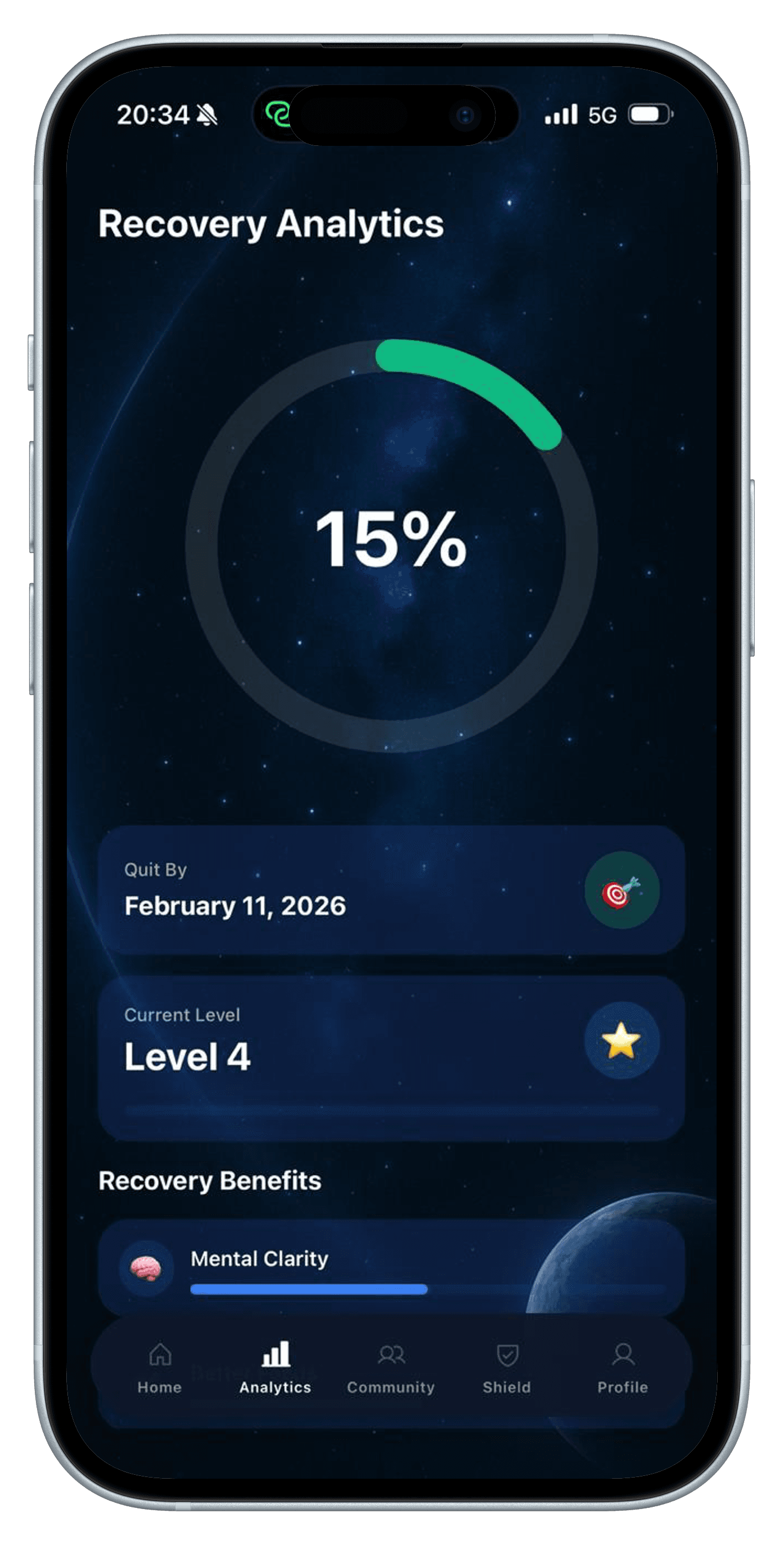
Recovery Analytics shows a day-based progress ring, a 90-day target date, your weekly level, and estimated recovery-benefit timelines in one screen.
An honest boundary
Reborn does not diagnose a condition, measure your brain, or confirm that a benefit has happened. Its progress ring and benefit timelines are day-based estimates, not personal clinical assessments. Journal and progress data may be stored on your device and, for signed-in accounts, supported data may sync to cloud services as explained in the Privacy Policy.
Read the Privacy PolicyQuestions
Entries can include a title, written reflection, and mood. Useful notes often cover the trigger, the situation, what you felt, what you did, and what might make the next similar moment easier.
The current screen shows a day-based progress percentage, a date 90 days from your porn-free start, a level that increases each week, and estimated timelines for benefits such as focus, confidence, discipline, and emotional control. These are general estimates, not measurements of your health.
No. Journaling and community posting are separate actions. You control what you write privately and what you choose to publish to the community.
Some progress data can be stored on your device. If you use a signed-in account, supported data may also sync through the app's cloud services. The Reborn Privacy Policy explains the current handling in more detail.
A short weekly review is often enough. Look for one repeated situation and make one change. Reviewing every line every day can turn reflection into another task you avoid.
Related guides
Relapse recovery
A practical response to a porn relapse that stops one lapse from becoming a longer spiral and turns the event into a better plan.
Read the guide →Measuring progress
Seven practical signs of recovery that still matter when a porn-free streak resets, from earlier honesty to better responses to urges.
Read the guide →Dopamine & habits
A clear look at dopamine-detox claims, problematic porn use, triggers, and a realistic seven-day environment reset.
Read the guide →Start with the next useful day
Reborn is available for iPhone. Its Screen Time blocking features require iOS 16 or later and your permission. Download it free, then review the subscription options before starting.
View Reborn on the App Store