Adult-site filtering
Reborn uses Apple's Screen Time web-content controls to filter adult websites in supported iPhone browsers when protection is active.
Porn blocker for iPhone
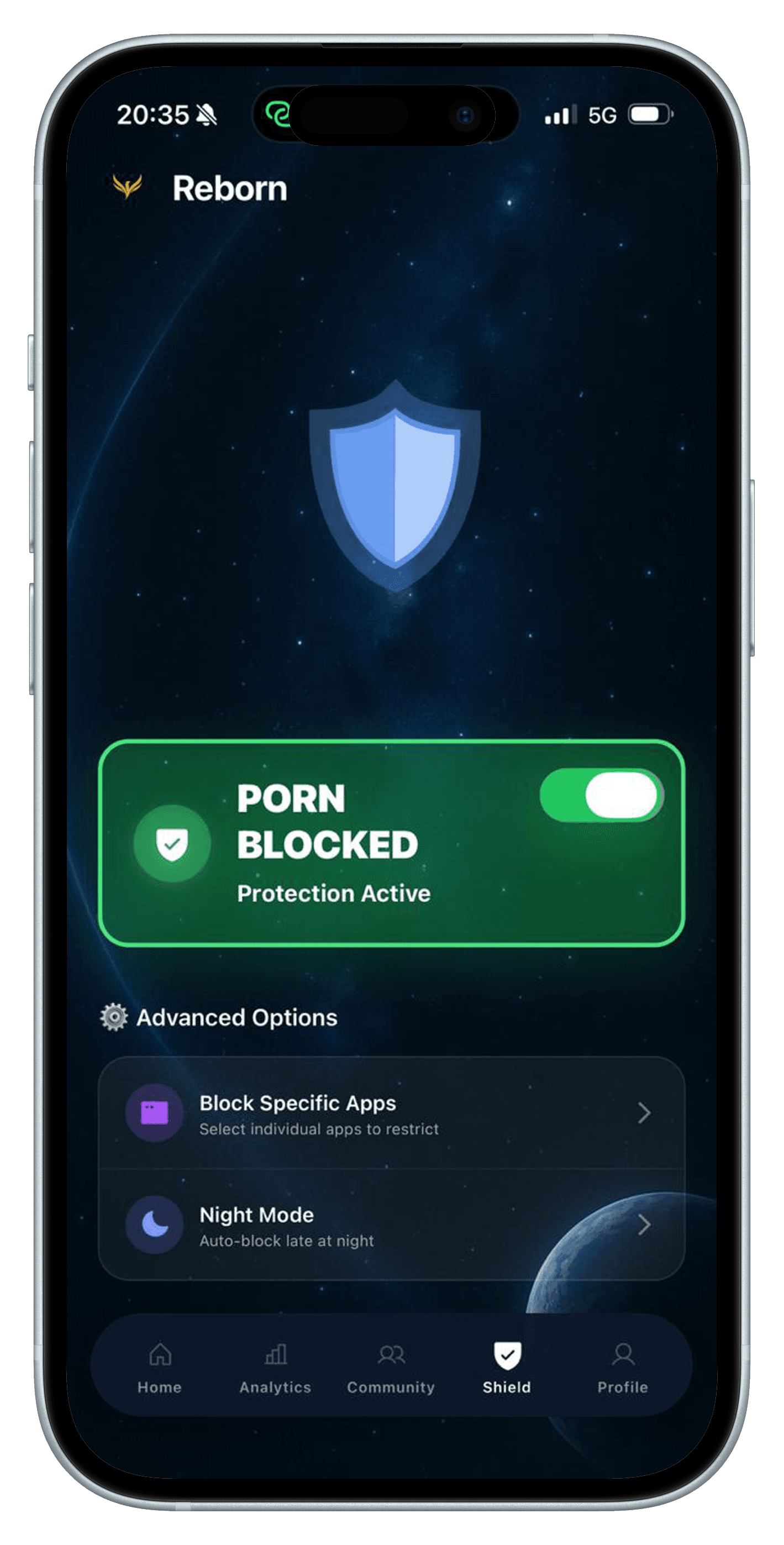
Reborn now includes a built-in Shield for iPhone. With your permission, it uses Apple's Screen Time controls to filter adult websites at the system level, restrict apps you select, and protect the late-night hours when an old routine may be easiest to repeat.
For iPhone. Free to download; a subscription is required to use the app.
Why it helps
When access is immediate, a trigger can become a decision before you have properly noticed the sequence. A system-level restriction adds friction between the urge and the content. That pause can be enough to put the phone down, leave the room, open the Panic Button, or contact someone you trust.
The Shield is deliberately one part of Reborn rather than the whole product. Blocking can reduce exposure and interrupt autopilot, while the streak, pledge, journal, analytics, urge tools, and community help with the behaviour around access.
How it works
Open the Shield tab and approve Apple's Screen Time permission. The protection cannot be enabled until iOS grants access.
Use Block Porn for adult-site filtering, or open Block Specific Apps to choose the apps and website categories you want restricted.
After choosing a selection, enable Night Mode to apply it every day from 10 PM until 6 AM without reopening Reborn.
Inside Reborn
Each part has a clear job. The aim is not to keep you inside an app; it is to help you make the next real-world decision with more intention.
Reborn uses Apple's Screen Time web-content controls to filter adult websites in supported iPhone browsers when protection is active.
Use Apple's activity picker to choose specific apps or categories, then activate or pause that selection from the Shield tab.
Night Mode automatically applies your chosen selection from 10 PM to 6 AM each day and can be disabled from Reborn.
An honest boundary
Content Shield requires iOS 16 or later, a supported iPhone, and Screen Time permission. Its behaviour can depend on Apple's APIs, the browser or app, your selected restrictions, and device settings. Treat blocking as a layer of friction—not a guarantee, a diagnosis, or a replacement for a wider recovery plan.
Read the Privacy PolicyQuestions
Yes. On iOS 16 or later, the Block Porn switch uses Apple's Screen Time web-content filter to restrict adult websites after you grant permission and enable it.
Yes. The Shield tab opens Apple's selection interface so you can choose apps or categories and activate that restriction. Reborn does not silently choose apps for you.
The current Night Mode schedule runs every day from 10 PM to 6 AM. It uses the selection you made under Block Specific Apps and can be switched off from the Shield tab.
Supported restrictions are applied through iOS Screen Time and can continue at the system level when the Reborn app is closed. You still control permission and can pause the protection.
No. Reborn's system-level Shield currently relies on Apple Screen Time and is available on iOS 16 or later. The website and App Store download are focused on the iPhone version.
Related guides
Choosing your tools
Compare porn blockers, streak trackers, journals, and accountability tools—and learn how to combine them into a stronger recovery system.
Read the guide →Evening routine
A realistic evening routine for people whose porn use happens when they are tired, alone, and still holding their phone.
Read the guide →Getting started
A realistic, shame-free plan for quitting porn by changing access, understanding triggers, preparing for urges, and reviewing progress.
Read the guide →Start with the next useful day
Reborn is available for iPhone. Its Screen Time blocking features require iOS 16 or later and your permission. Download it free, then review the subscription options before starting.
View Reborn on the App Store