Easy to reach
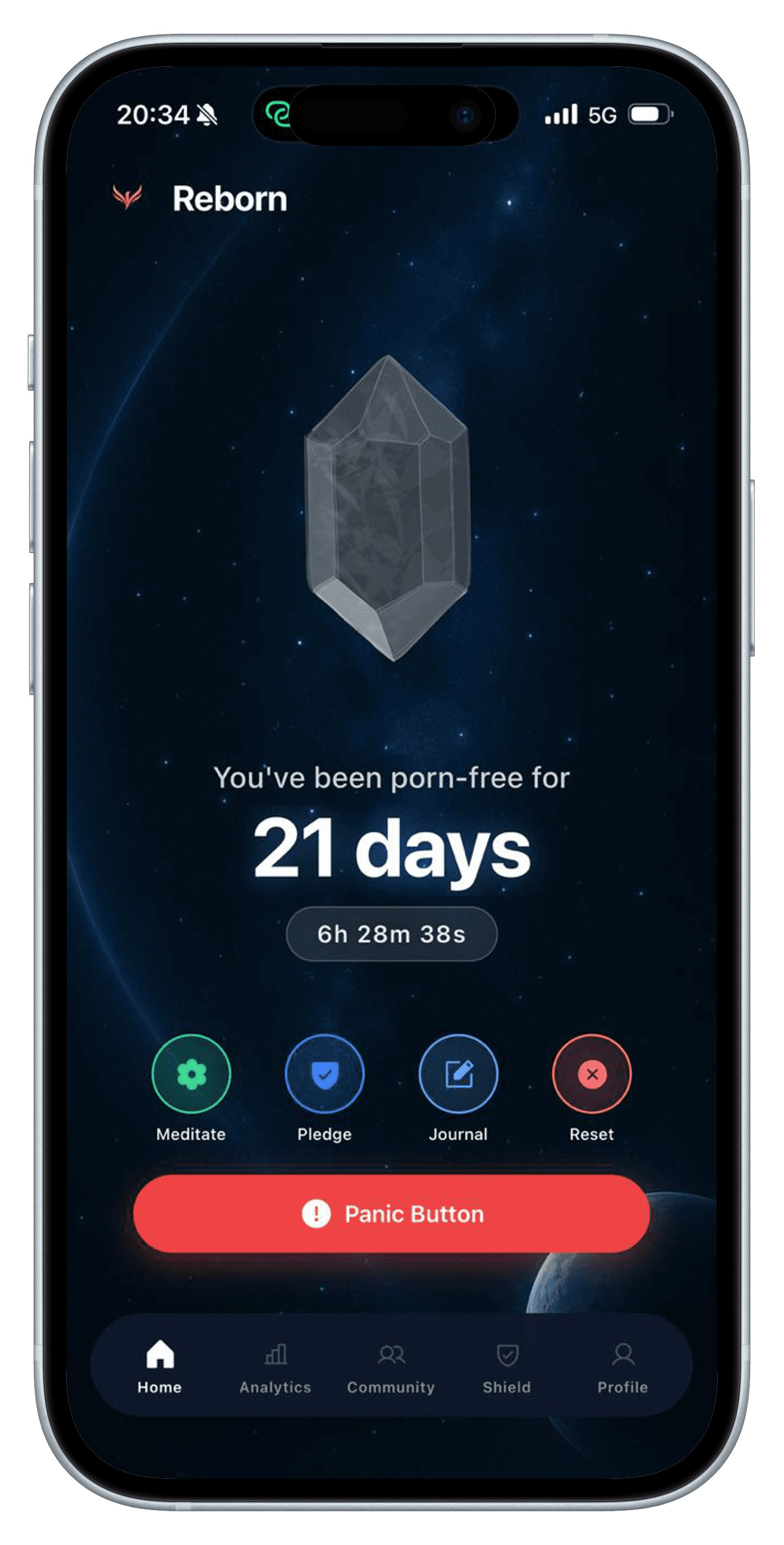
The Panic Button sits prominently on the home screen because a support tool is only useful if you can find it quickly.
In-the-moment support
The hardest part of a plan is often the few minutes when you are tired, alone, or already reaching for the old routine. Reborn keeps a panic button and a guided breathing tool close to the streak screen so support is easy to find in that moment.
For iPhone. Free to download; a subscription is required to use the app.
Why it helps
When an urge is strong, a ten-step checklist can be too much. The first useful move is often a simple interruption: stop scrolling, change what you are looking at, and give your body enough time to settle before making another decision.
Reborn's panic screen creates that interruption. With camera permission, it can use the front-facing view to pull the moment out of autopilot and ask you to choose what happens next. The separate breathing session guides a repeating four-count inhale, hold, exhale, and rest pattern.
How it works
Open the Panic Button as soon as you notice the familiar sequence. Acting early is easier than trying to reverse a decision after several minutes of scrolling.
The full-screen prompt asks you to face the choice directly. If you grant camera access, the front-facing view can make the interruption more immediate.
Use the guided four-count breathing tool, then put the phone down, move into a shared space, take a walk, or contact the person in your support plan.
Inside Reborn
Each part has a clear job. The aim is not to keep you inside an app; it is to help you make the next real-world decision with more intention.
The Panic Button sits prominently on the home screen because a support tool is only useful if you can find it quickly.
The guided session repeats a 4–4–4–4 box-breathing rhythm with simple phase cues and optional haptic feedback.
The feature is designed to create a pause. Use that pause to leave the trigger, add friction, write down what happened, or reach another person.
An honest boundary
Urge tools do not block every route to explicit content, guarantee that an urge will pass on a schedule, or replace professional help. They create a window for action. If the pattern is escalating, causing significant distress, or feels unsafe, speak with a qualified mental-health professional or local crisis service.
Read the Privacy PolicyQuestions
It opens a focused interruption screen with direct prompts and two clear choices: record that a relapse happened or step back from the decision. With permission, the screen can use the front-facing camera as part of that interruption.
The current panic experience requests camera permission for its front-facing interruption. iOS lets you control that permission, and Reborn also offers a separate guided breathing tool from the home screen.
The guided session uses box breathing: four counts to inhale, four to hold, four to exhale, and four to rest before repeating.
Change the environment while the pause is still open. Put the device elsewhere, leave the private space, walk, or send a brief message to someone you trust. The best next step is one you decided before the urge arrived.
Related guides
In the moment
A simple, in-the-moment plan for getting through a porn urge without arguing with yourself or relying on perfect willpower.
Read the guide →Evening routine
A realistic evening routine for people whose porn use happens when they are tired, alone, and still holding their phone.
Read the guide →Choosing your tools
Compare porn blockers, streak trackers, journals, and accountability tools—and learn how to combine them into a stronger recovery system.
Read the guide →Start with the next useful day
Reborn is available for iPhone. Its Screen Time blocking features require iOS 16 or later and your permission. Download it free, then review the subscription options before starting.
View Reborn on the App Store